
The FFM Support Portal (Service Desk) is used to raise a request, apply for access and permissions, and log issues related to FFMVic applications (FireWeb, Tarnook, eMap, etc.), and other applications we support, such as Conservation Regulator applications and DEECA JourneyMate.
Service Portal Account
| Your account for the service portal is independent of your other accounts. If you have never used the FFMVic Service Desk, you will need to register for a new account, as it is not automatic, nor is it linked to your FireWeb account. | 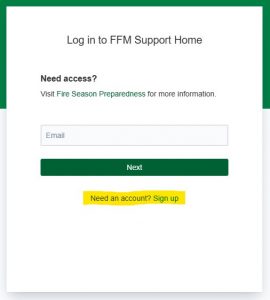 |
Raising a Support Ticket
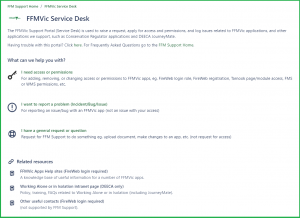
| Once you are logged in, you will be able to raise a ticket by selecting the relevant form.
Follow the prompts on the form and submit your request with the "Send" button at the bottom. Note, the more detail you include, the easier (and faster) it will be to complete your request . You'll receive an email advising you the ticket has been created, and you'll receive our response to the same email. |
 |
Forgot your password?
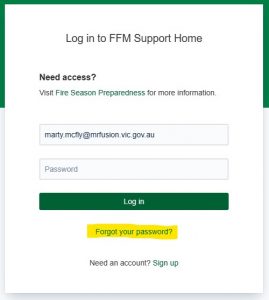
| Simply enter your email anyway and click "Next", then you'll be able to click "Forgot your password?" at the bottom of the prompt.
Note, this is your Atlassian account not your FireWeb account. |
 |
| If you have an Atlassian account, you will need to complete a couple more steps. | 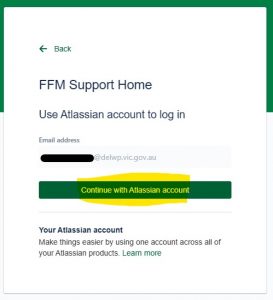 |
| Follows the prompt at the bottom 'Can't log in?' | 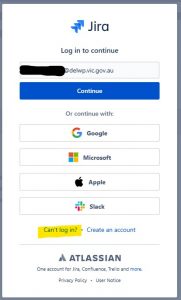 |
| And click 'Send recovery link', then follow the prompts sent to your inbox. | 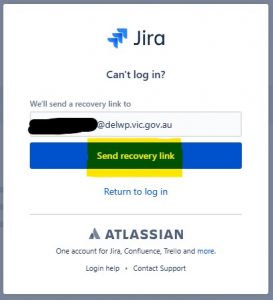 |